


Risk Management
Metrics
Turn Findings IntoAI-Driven Insights
Monitor finding exposure, severity, approvals, remediation progress, and team workload from one unified dashboard.
Book a Demo
Book a Demo
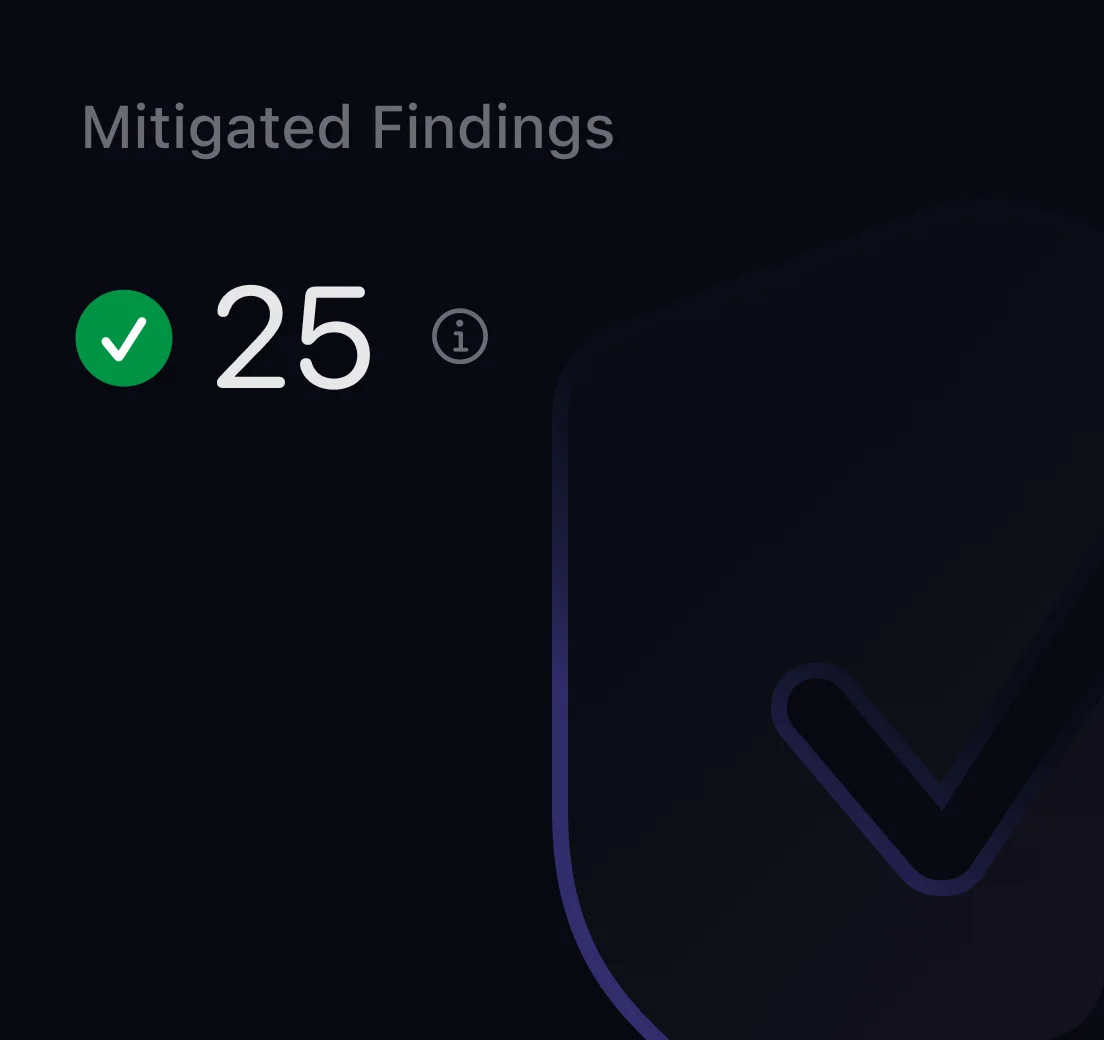
CoreSeenity Risk Management metric showing mitigated findings
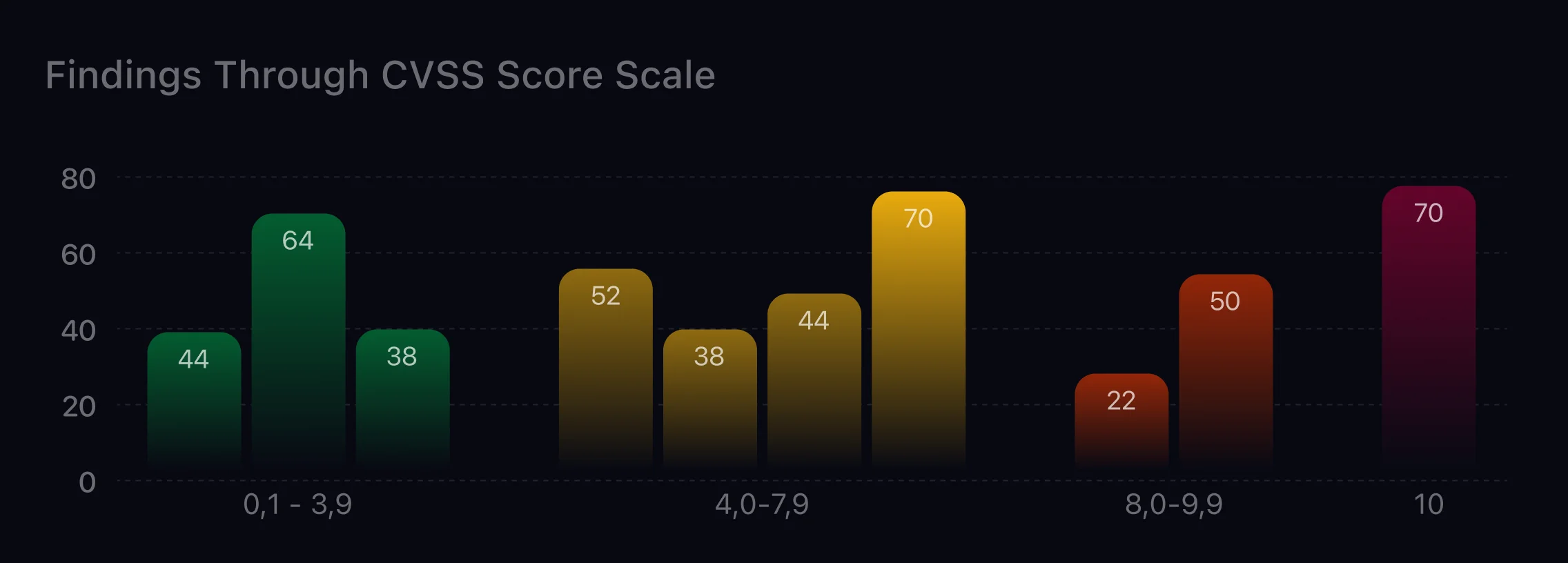
CoreSeenity Risk Management table of findings by CVSS score
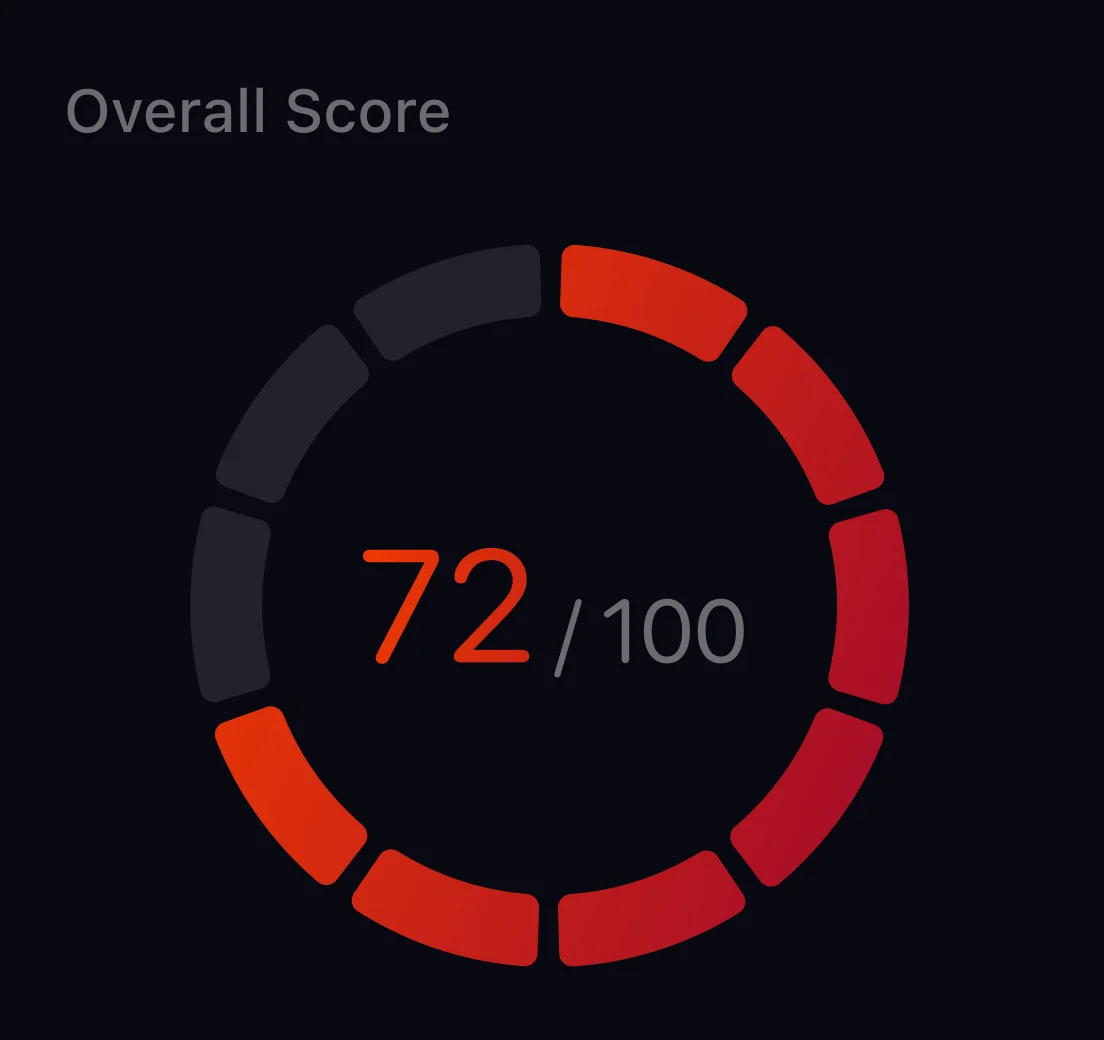
CoreSeenity Risk Management overall risk score gauge
Stay Ahead of Every Security Finding
Monitor the complete finding lifecycle - from newly identified issues and approval queues to severity trends and remediation progress.
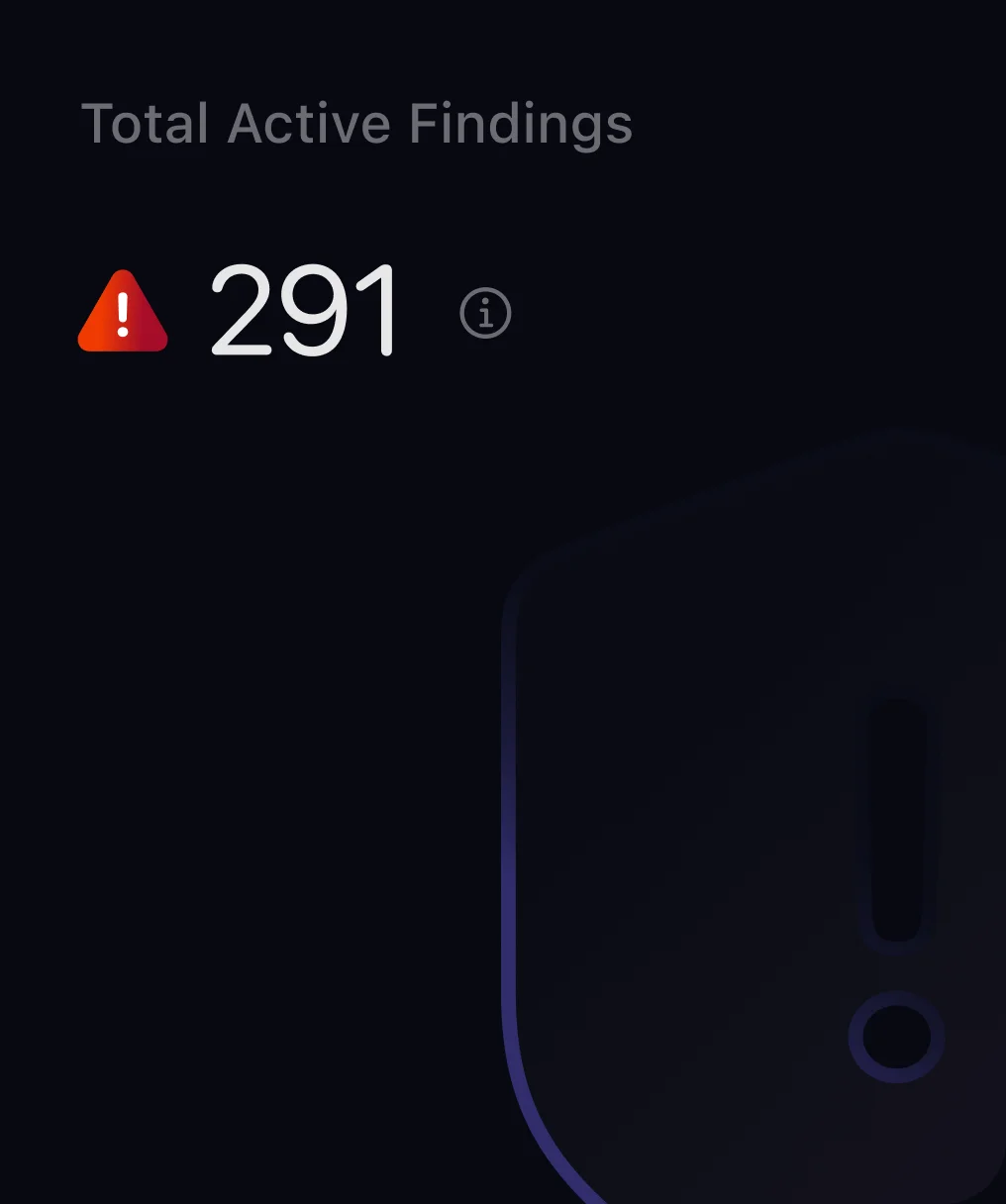
CoreSeenity Risk Management metric showing total active findings
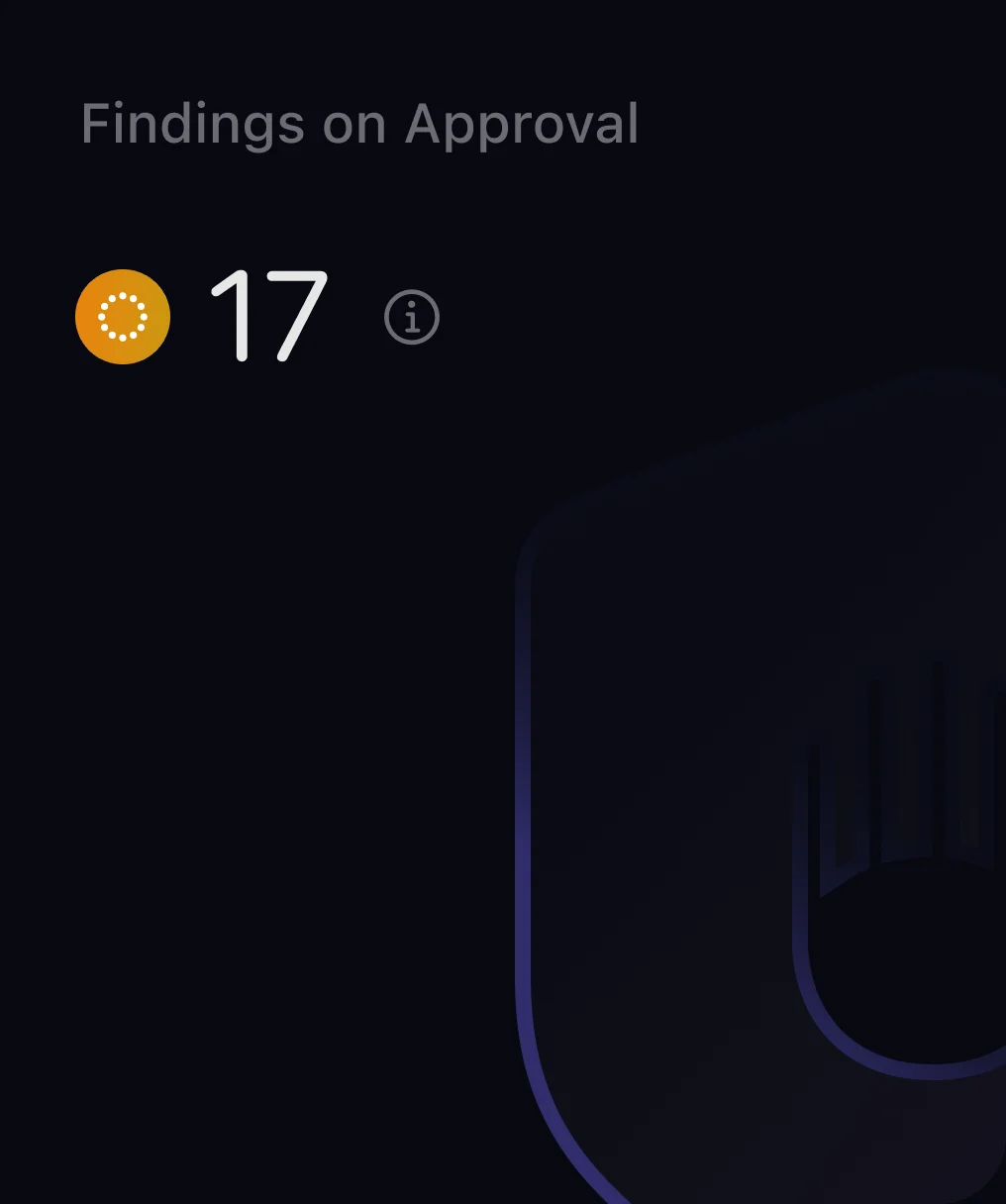
CoreSeenity Risk Management metric showing findings awaiting approval
Total Active Findings
Displays the current number of unresolved findings across all systems.
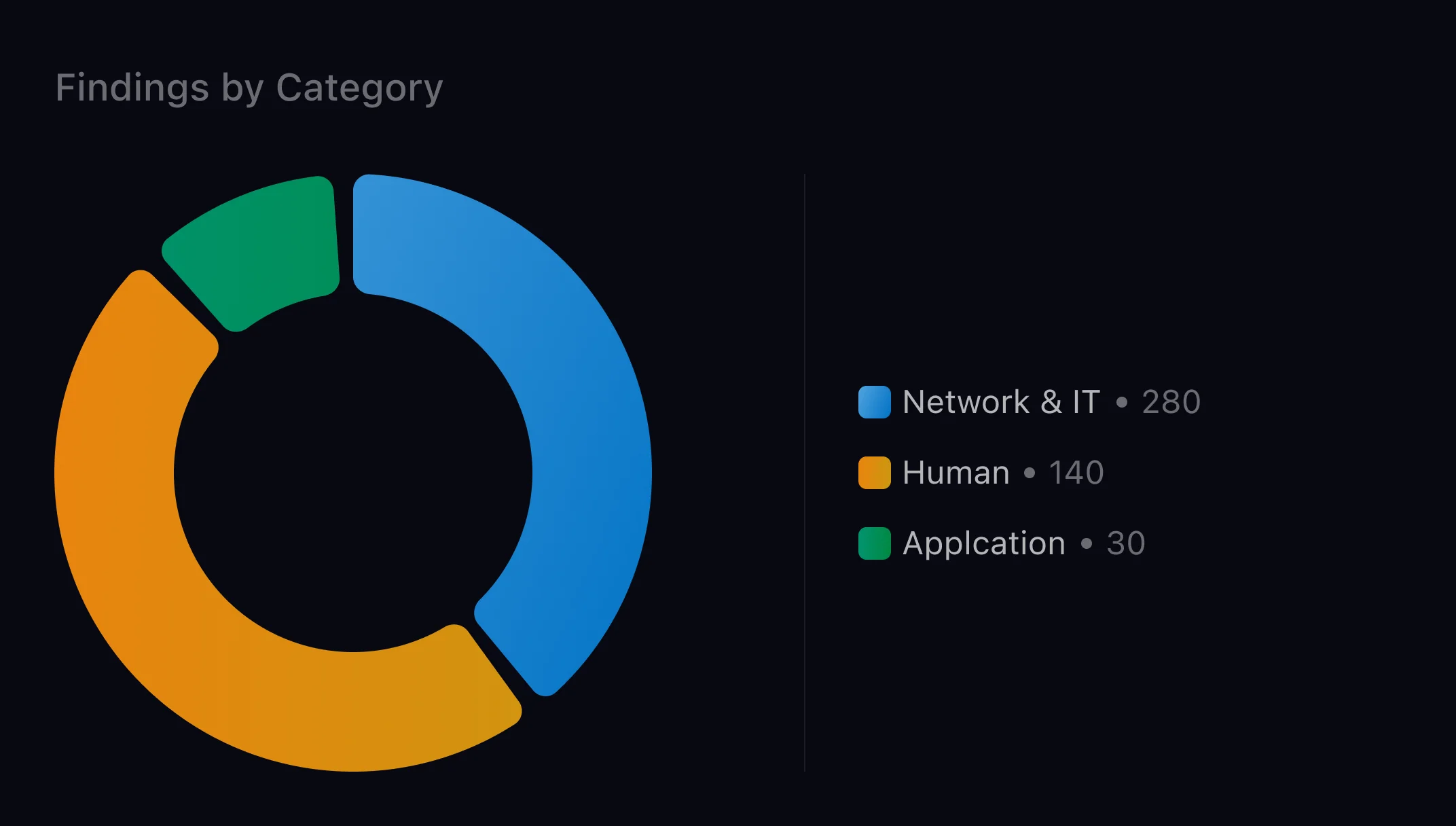
CoreSeenity Risk Management chart of findings by category
Findings by Category
Groups findings by vulnerability type or category for faster triage.
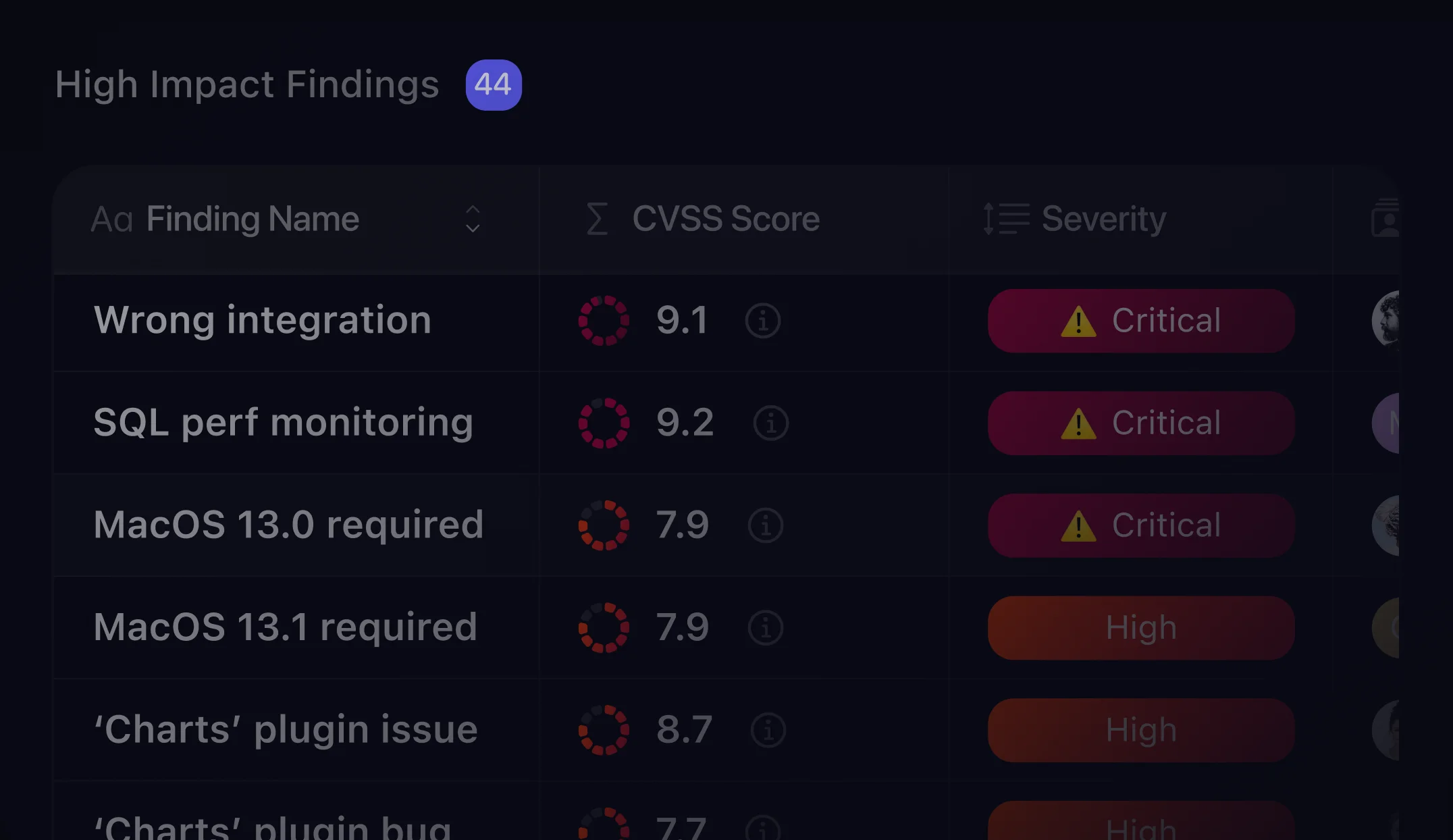
High Impact Findings
Lists high or critical severity findings requiring immediate attention.
CoreSeenity Risk Management table of high impact findings with CVSS score and severity
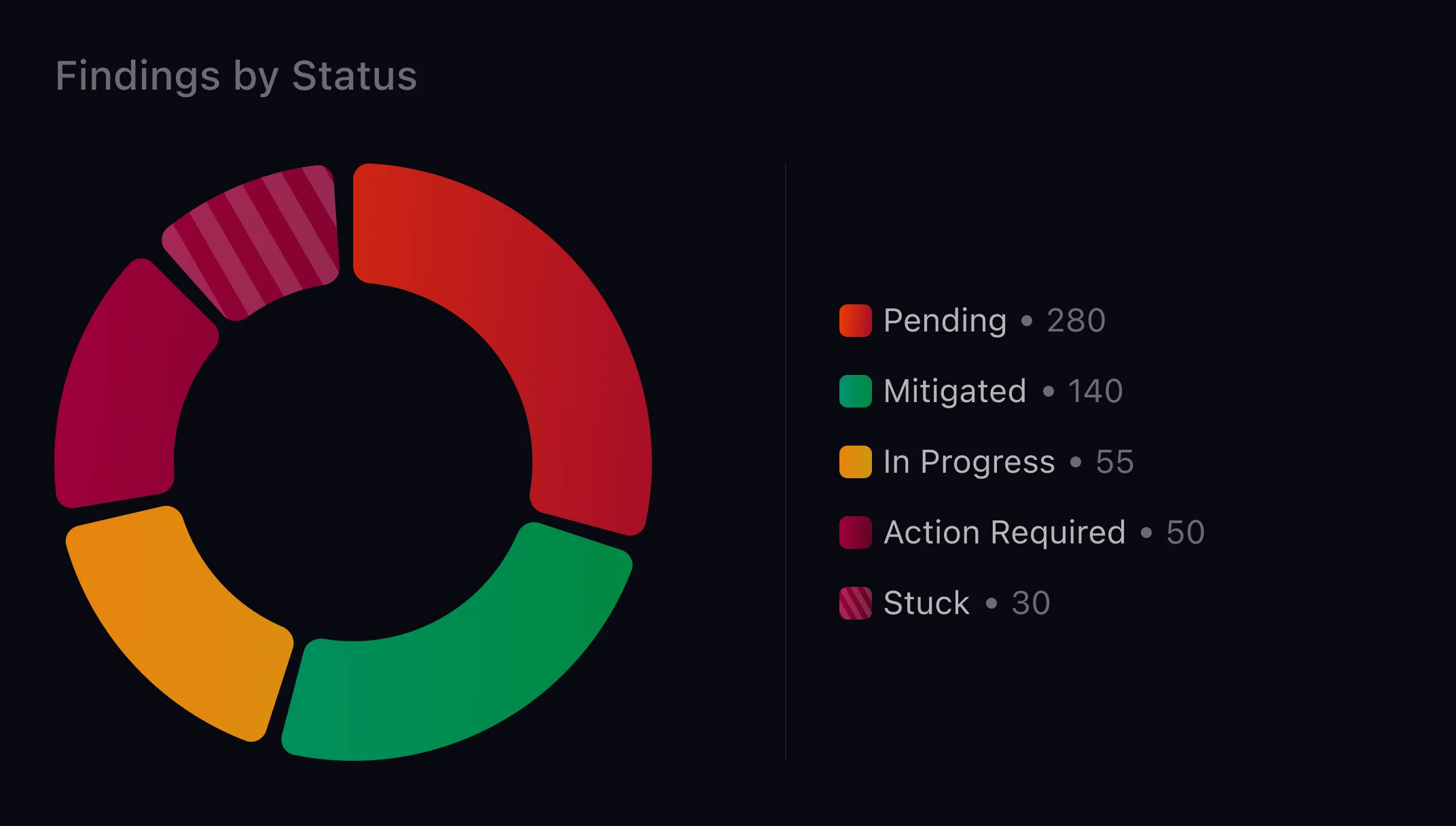
CoreSeenity Risk Management chart of findings by status
Findings by Status
Shows how findings are distributed across pending, in progress, action required, stuck, and mitigated states.
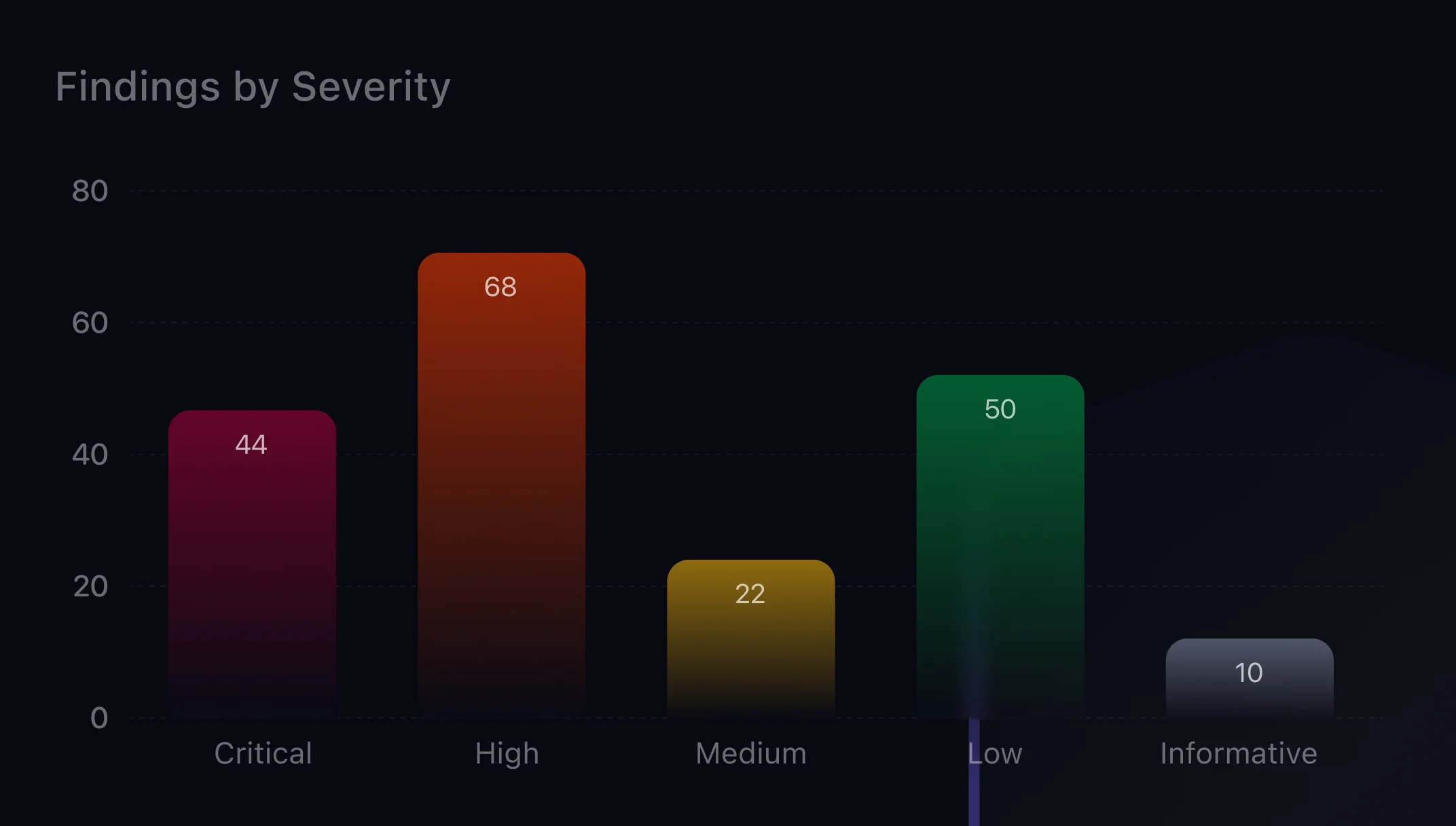
CoreSeenity Risk Management chart of findings by severity
Findings by Severity
Breaks findings down by severity level to help teams identify and prioritize the highest-risk issues.
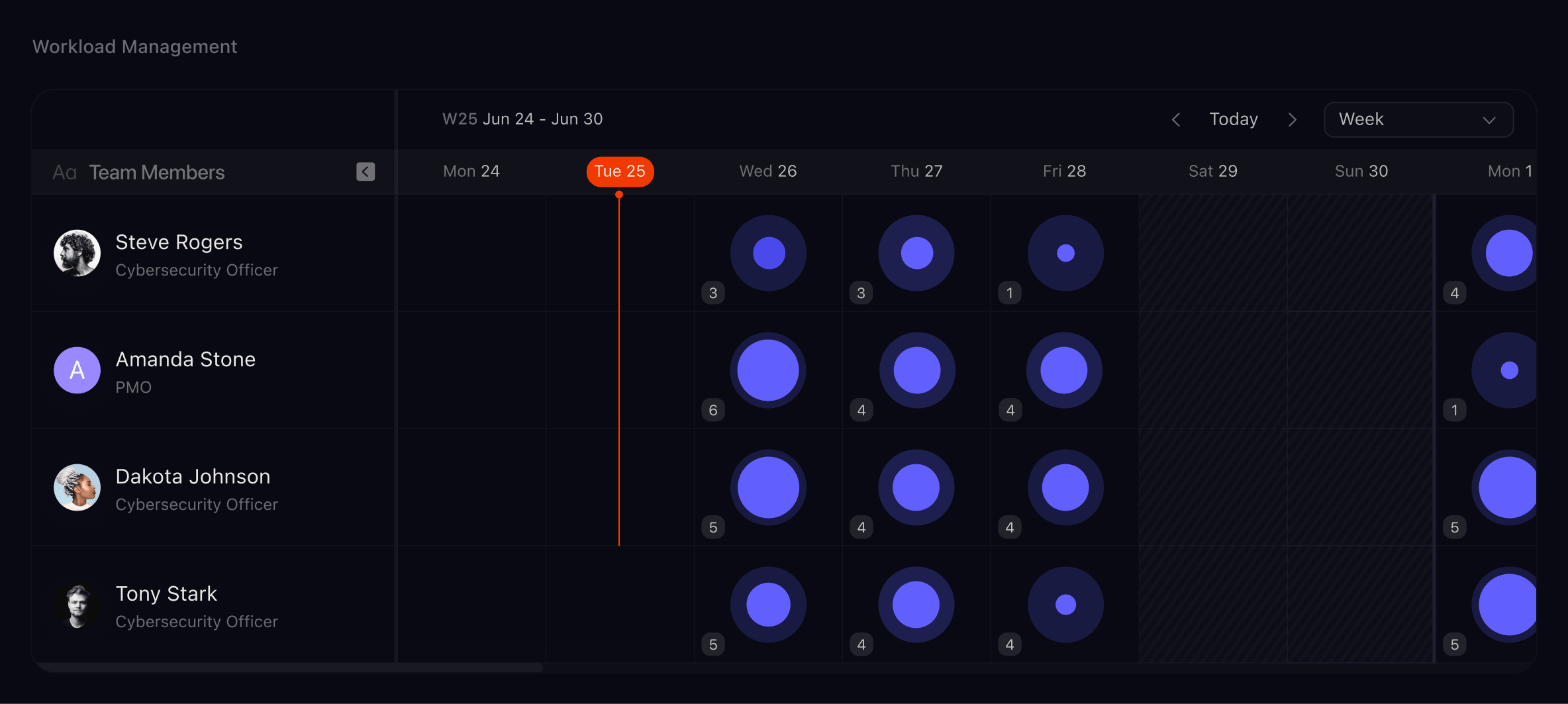
Balance Remediation Work Across Teams
Visualizes each team member’s workload over time to support balanced task assignment and optimal resource allocation.
CoreSeenity workload view showing team member capacity and tasks by day
Ready to Take 
Control of Risk?
See how agentic AI helps your team prioritize, remediate, and close findings faster.